July 2026 | A smarter way to explore your data with the Crunch AI Agent
Release date: 05 July 2026
Our new Crunch AI Agent lets users ask questions in plain language and get instant, accurate answers from data in Crunch. It transforms complex datasets into effortless conversational insights, with no analysis expertise needed. The Crunch AI Agent is now available on all datasets in Crunch.
Benefits
- Natural language exploration - Ask questions conversationally and get immediate insights without filters or manual analysis.
- Faster decision-making - Reduce your time spent digging through datasets and jump straight to actionable insight.
- Accessible for all users - Empowers anyone, regardless of technical skill, to work confidently with Crunch data.
How does it work?
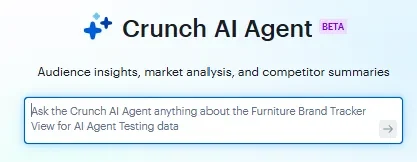
Open any dataset and click on the AI Agent button at the top of the page.

The chat interface will open. You can ask questions about your dataset using natural language. Type your question and press enter.
The AI Agent will respond to your question. Typical responses include a summary, one or more text-based tables, and a list of variables used to answer your question. You can continue asking questions to refine the response or to dig deeper.
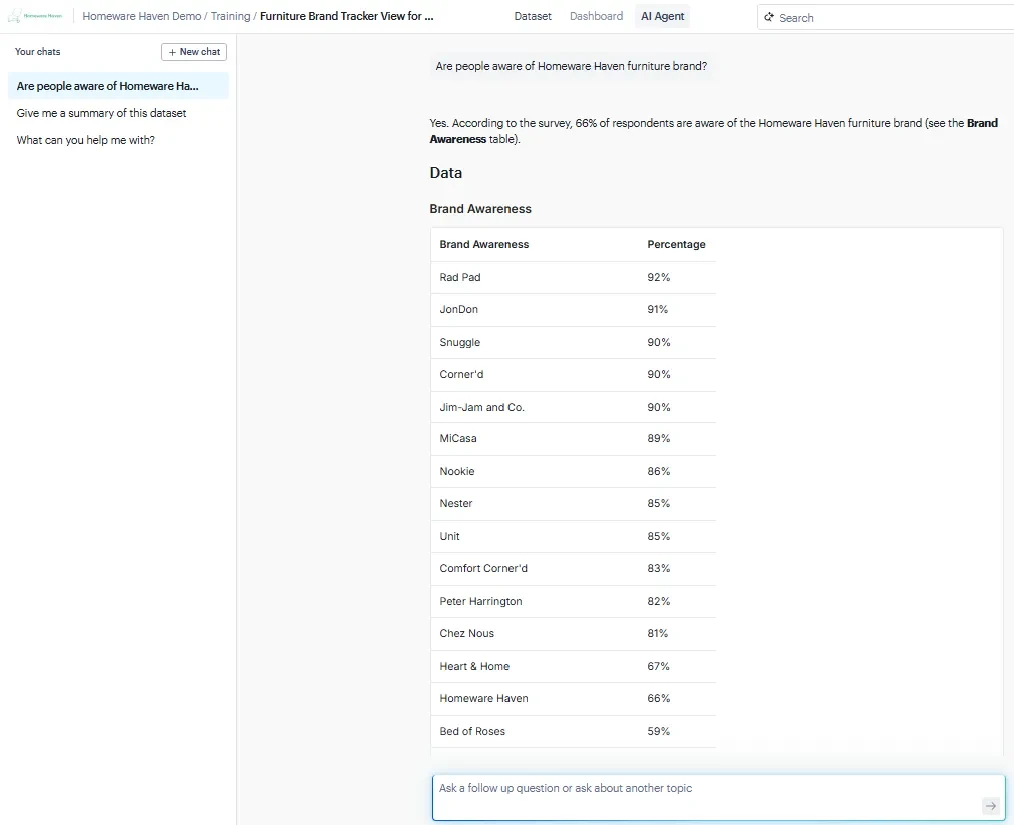
Responses will always cite the variable(s) and/or filter(s) where the answer is found.
June 2026
New and improved search in Crunch
Release date: 17 June 2026
We’ve upgraded your search experience. Our new vector-search lets you ask questions in natural language, no more guessing the perfect keyword. Now you can instantly find results traditional search might miss. The new vector search is available on all datasets and has officially replaced our legacy search.
What’s new
- AI search: Understands your intent, not just your words
- Document search (New!): Quickly find and explore your documents right from within Crunch
- Clean, modern UI: Easier to browse and find what you’re looking for
- Open in new tab: Keep your workflow seamless while exploring insights
Explore smarter search today, and uncover insights faster than ever.
How does it work?
Try out your new search experience by clicking the AI beta toggle in the search bar.

Type your search query and press enter to see your results using AI search. You can filter for Variables, Datasets or Documents.
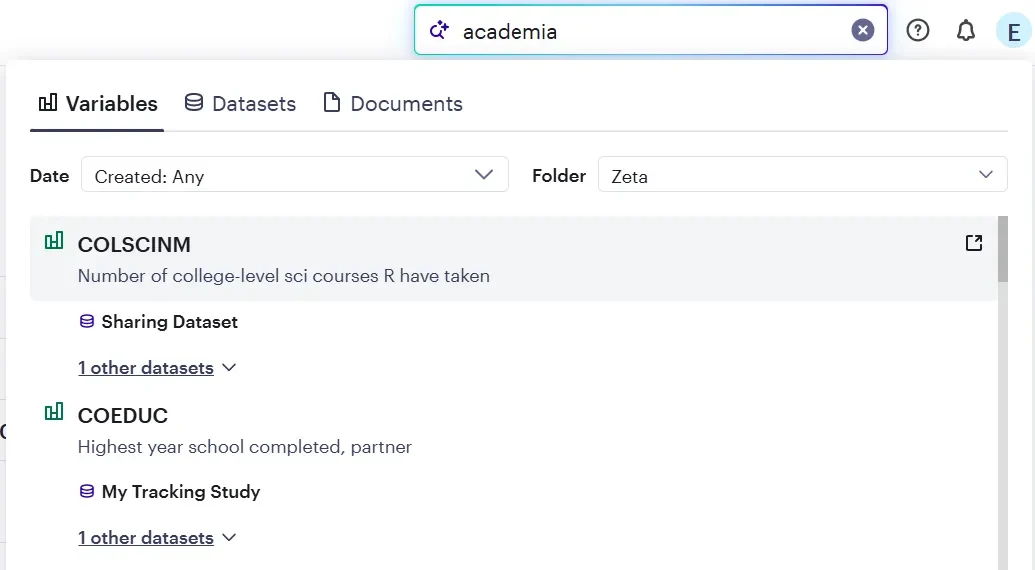
If there are multiple results, simply click to expand and see more.
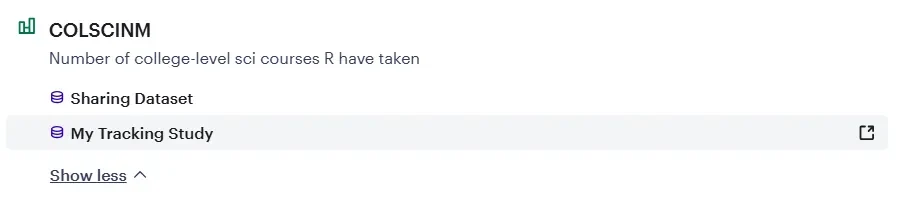
You can click on the search result to open the result in the same window, or click on the icon to open the search results in a new tab.
Added low base size warning support in the AI Agent
Release date: 15 June 2026
We upgraded the AI Agent to show low base size warning messages for all variable types in the AI Agent. This update will help you quickly spot when results may be based on insufficient sample sizes, so you can interpret findings with appropriate caution.
May 2026: A new way to explore your data
Release date: 11 May 2026
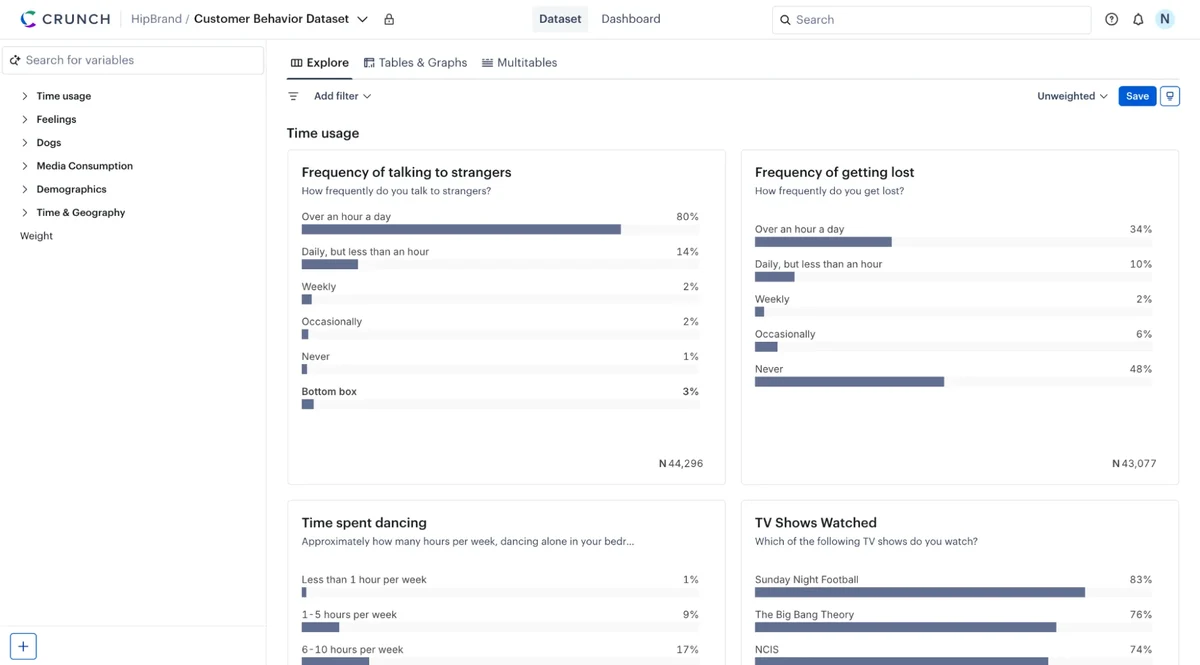
We have reimagined the Variable Summaries experience for Crunch users. Now called Explore, this new experience is the primary way to discover and navigate your data.
Reimagined variable summaries
The Explore view tab features a vertical scrolling layout, smoother variable navigation, and clearer labels for folders and variables. These enhancements are designed to help you discover insights faster and navigate even the most complex datasets seamlessly, significantly reducing your time to find valuable information.
We’ve also improved the filter bar to refine your focus.
How it Works
When you open a dataset in Crunch, you will be taken directly to the new Explore tab. From here, you can:
- Scroll vertically: Quickly scan through variables to get a high-level view of your data.
- Navigate with precision: Use the new variable folder structure and tile highlighting to move between sections and keep your analysis focused.
- Tile highlighting: Visual cues that help you focus on specific variables as you scan through the dataset.
- Refine your view: Use the improved filter bar to focus on specific segments of your data instantly.